Lens Options
Choosing A lens
Lenses have a few attributes you'll want to be aware of, and together with the camera sensor determine what kind of image you'll see.
Generally, the lower a lens' focal length is (expressed in mm, like 2.1 mm), the wider a field of view (FOV) it produces. Most people like a very wide FOV such as 180 degrees so they can image as much of the sky as possible. Lenses that produce very wide FOVs are usually called fisheye lenses. If your allsky camera is surrounded by lots of trees or buildings and you don't want them in your images, use a higher focal length lens.
Typical focal lengths used in allsky lens are 1.5 mm - 2.5 mm. Some allsky lens can vary their focal length so are called "zoom" lenses. These are more expensive and produce lesser-quality images so are seldom used. Typical FOVs are 120 degrees - 180 degrees.
The aperture of a lens determines how much light it passes through. Lower numbers let more light through but in general produce fuzzier images that you may or may not notice. Typical apertures (prepended by f) used in allsky lens are f 1.4 - f 2.8.
Lenses are round so produce round images. The size of the image it produces on the sensor, measured by its diameter in mm, is called its image circle.
Image Circles
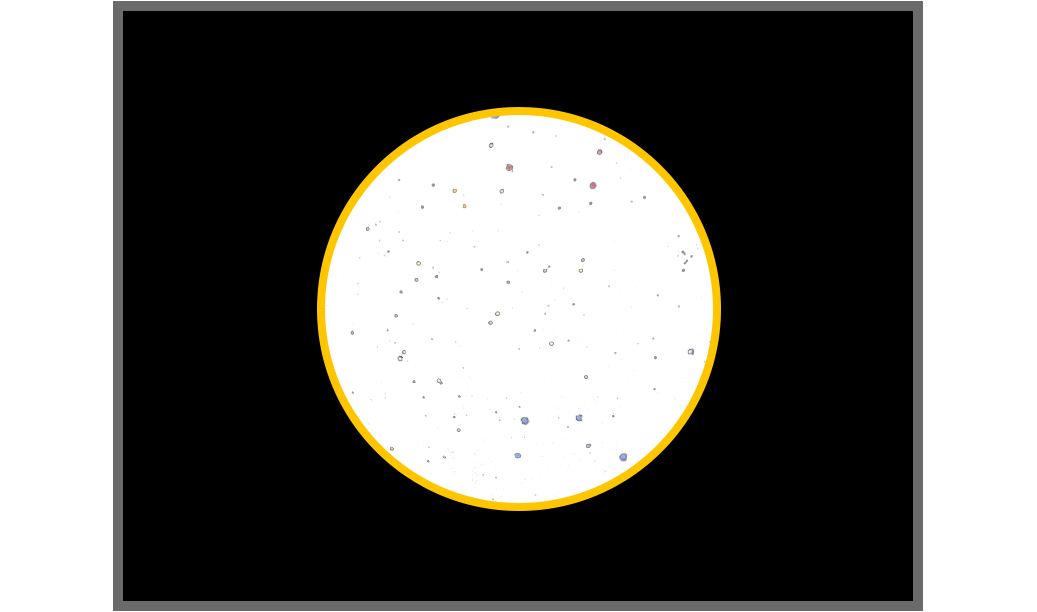
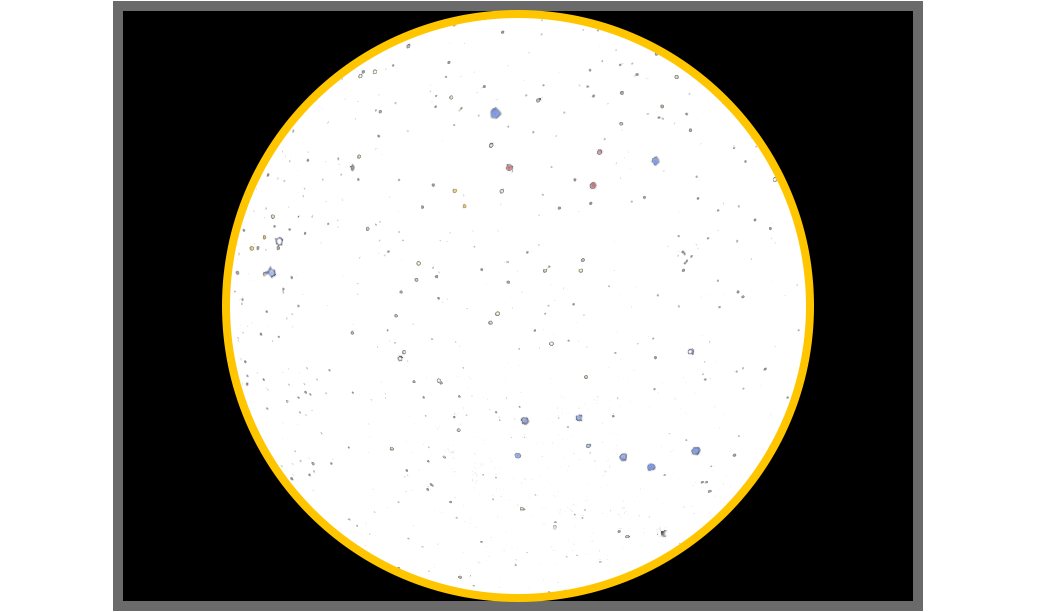
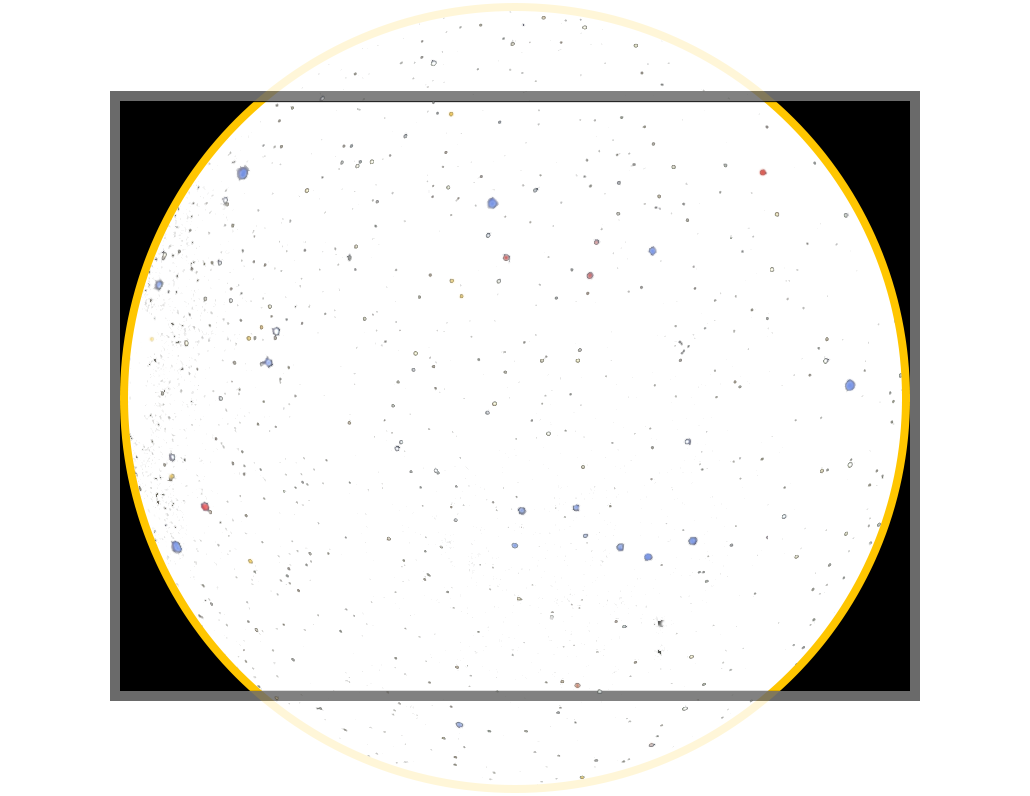
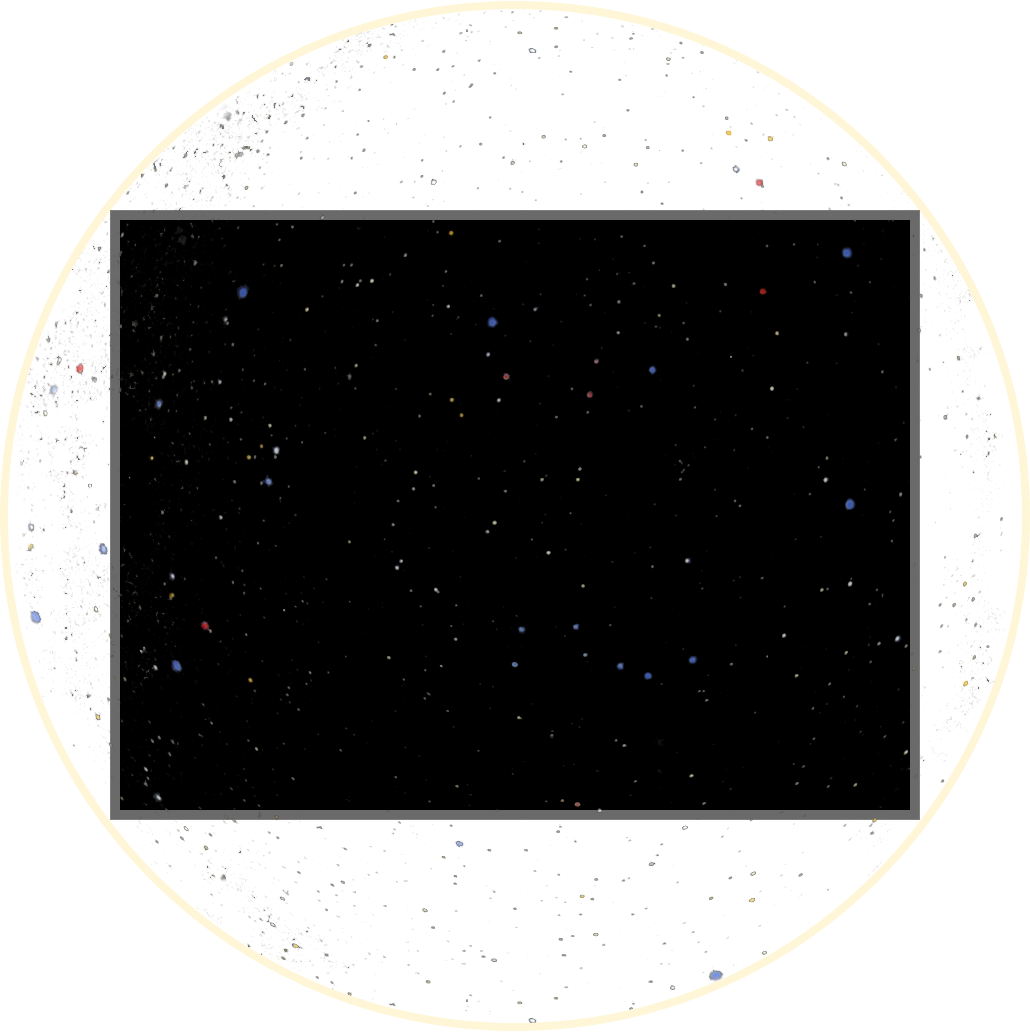
Most allsky cameras have rectangular sensors that are wider than they are tall. The images below show a sensor (black with dark gray border) and image circles produced by various fictional lenses (white with stars and a yellow borders).
Depending on the physical size of the sensor and the size of the image circle, you'll get different results, as shown below. There is no "right" or "wrong" combination - it's a personal preference.
-
An image circle that is much smaller than the sensor. This uncommon scenario produces a very small sky image.
-
An image circle whose height is the same as the sensor. This shows the whole the sky image and leaves ample room to overlay text and images. It's rare to have the sensor height and imager circle be identical as shown below. The AIS 676 is an exception to this and a great camera for Allsky imaging
-
An image circle whose height is bigger than the sensor but whose width is the same as the sensor. This cuts off part of the sky image but minimizes the black border, yet still allows for some space to add text without overwriting the sky image. Most very wide FOV sky images include some landscape and/or buildings around the edges so depending on how much of the sky image is cut off, this combination can be beneficial.
It's rare to have the sensor width and imager circle be identical as shown below.
-
If the lens' image fills the whole sensor you'll see what appears to be a "normal" image with no black border. This combination is usually the result of a very small camera sensor.
Determining Image Type
To determine which of the examples above you'll get you need to know the physical size of the camera's sensor and the size of the lens' image circle.
Determining Size
Don't confuse a sensor's physical size with its pixel size. The pixel size only determines how fine of detail you'll see in a sky image - it has nothing to do with anything else on this page.
Most camera web pages list the sensor's width and height but you'll normally need to calculate the sensor's diagonal size using a little math:
Take the square root of:
So for the Pi HQ Camera
Not all lens web pages list the image circle size - in fact, one of the lenses below didn't list it. You may need to contact the seller or search on the Web.
To see what you'll get, compare the sizes:
-
If the image circle size is less than or equal to the sensor height, the full image will fit on the sensor (examples 1 and 2 above).
-
If the image circle size is less than the sensor diagonal, the top and bottom of the sky image will be cut off (example 3).
-
If the image circle size is greater than the sensor diagonal, the sky image will completely fill the sensor (example 4).
Some common allsky cameras and lenses are shown below followed by an example of the results that different lenses produce using the same camera.
| Common allsky cameras | |||||
|---|---|---|---|---|---|
| Camera | Sensor | Sensor Width | Sensor Height | Sensor Diagonal | Resolution (w x h) |
| RPi HQ | Sony IMX477 | 6.3 mm | 4.7 mm | 7.86 mm | 4056 x 3040 |
| ZWO ASI178 | Sony IMX178 | 7.4 mm | 5.0 mm | 8.93 mm | 3096 x 2080 |
| ZWO ASI224 | Sony IMX224 | 4.9 mm | 3.7 mm | 6.14 mm | 1403 x 976 |
| ZWO ASI290 | Sony IMX290 | 5.6 mm | 3.2 mm | 6.45 mm | 1936 x 1096 |
| Example allsky lenses | ||||
|---|---|---|---|---|
| Lens | Focal length | Image circle | Aperture | FOV |
| cnAICO ACF12F0155IRMM | 1.5 mm | 4.6 mm | F 2.0 | 185 deg |
| cnAICO ACTCS25IR8MPF | 2.5 mm | 6.4 mm | F 1.6 | 190 deg |
| cnAICO ACCF021163MP | 2.1 mm | ?? | F 1.6 | 160 deg |
| cnAICO ACF12FM014IRCMM | 1.4 mm | 4.59 mm | F 1.4 | 182 deg |
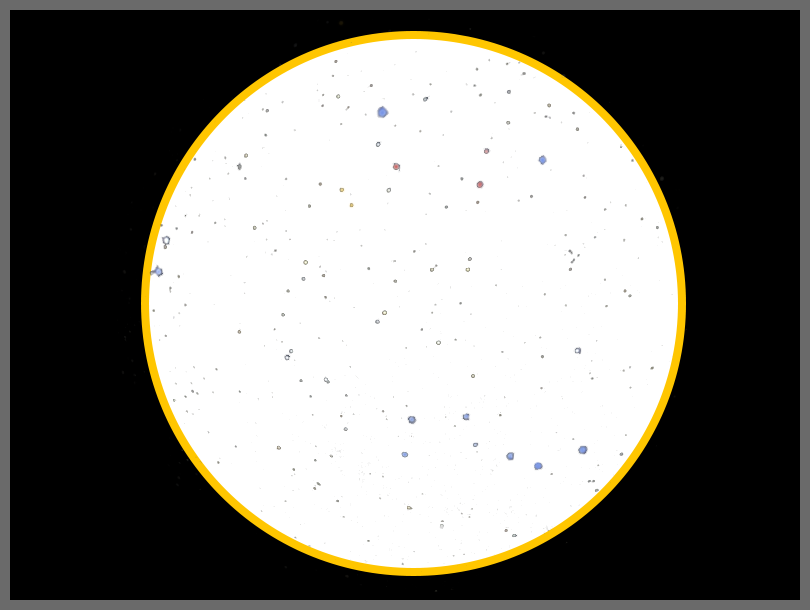
Lens # 1, ACF12F0155IRMM: 1.5 mm focal length. The lens' image circle (4.6 mm) is smaller than the height of the sensor (5.0 mm) so the whole image fits on the sensor. You may want to crop the sides of the image to remove some of the black border and save disk space.
Lens # 2, ACTCS25IR8MPF: 2.5 mm focal length. The lens' image circle (6.4 mm) is larger than the height of the sensor (5.0 mm) but smaller than the width of the sensor (7.4 mm), so you'll see a circle with the top and bottom cut off and some black on the sides.
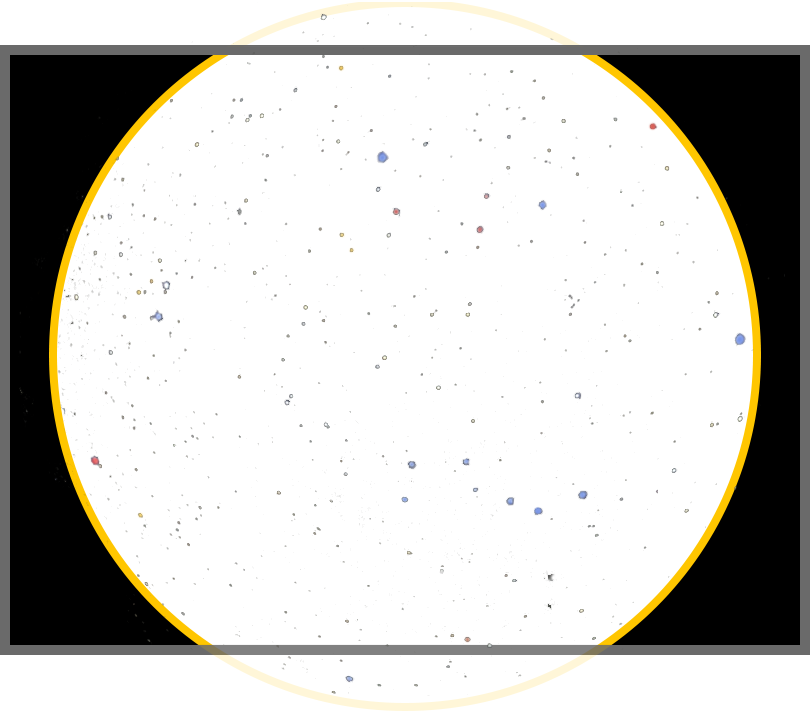
In the examples above, if you used a camera with a much larger sensor you would see the full cicular image even with the 2.5 mm lens. On the other hand, if you used a much smaller sensor, like the ASI224, you would see a slightly cut-off circle with the 1.5 mm lens and would see a rectangular image with no black using the 2.5 mm lens.
Image Offset
It's not uncommon for the sky image to be off center relative to the sensor, as seen below. The small yellow circle is the center of the sky image and the small dark square is the center of the sensor.
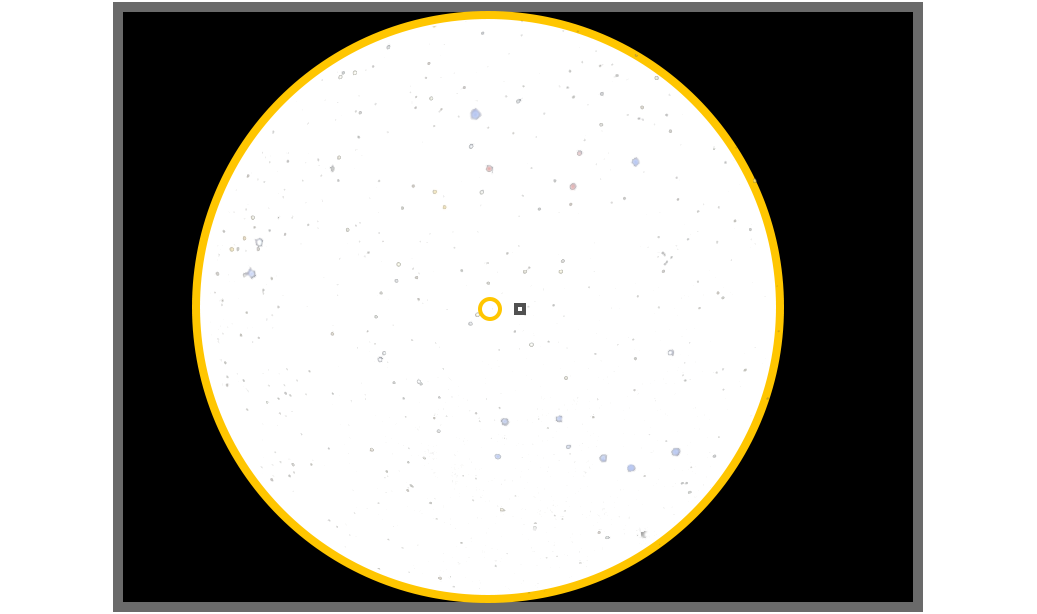
Most allsky lenses are inexpensive and don't provide "perfect" results. This is not a problem since you can easily crop the image to center it.