Discord
This module allows you to send data to Discord server. You can send the following
- Daytime image
- Nighttime Image
- Startrails Image
- Keogram Image
- Timelapse Video
File Sizes
Discord implements a Rate limits on the API but it is very unlikely that you will hit any of the limits. Discord also implements a limit of 8 MB for any posted item. The timelapse videos may exceed this rate so if you wish to send them to Discord you will have to configure Allsky to limit video to less than 8 MB. The module checks before sending a file and if it exceeds the Discord limit the file is not sent and an error is logged in the allsky log file.
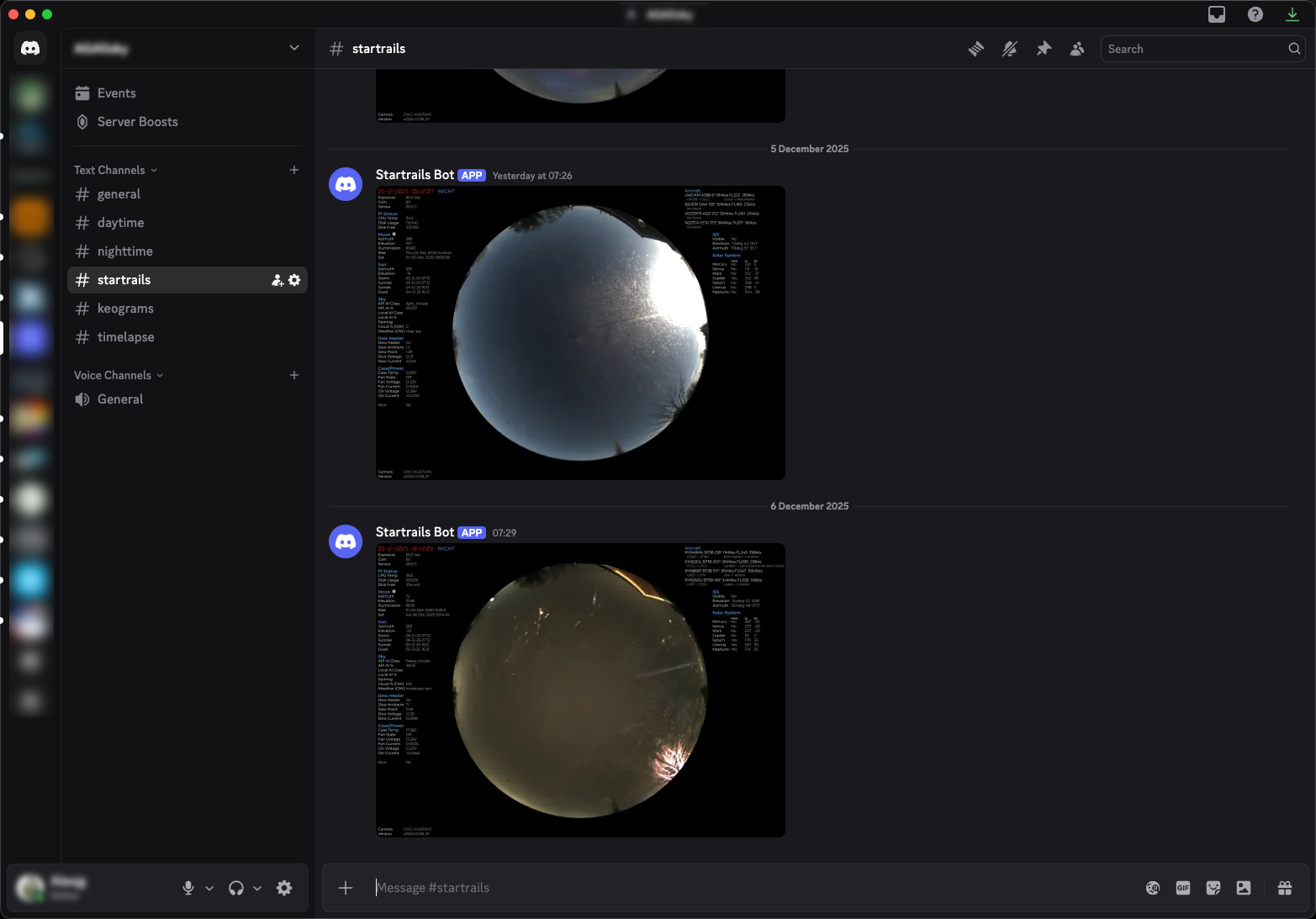
Example images posted to a Discord server
Settings
The following settings are available in the module
Daytime Tab
| Setting | Description |
|---|---|
| Post Images | When enabled daytime images will be posted |
| Send Annotated | If enabled sends the overlayed image, not this module must run after the overlay module otherwise sends the raw image |
| Daytime Count | Sends an image very X captured images, helps prevent flooding the Discord server |
| Bottom Size | The size of the bottom border in pixels |
| Webhook URL | The webhook for daytime images, see notes below on Webhooks |
Daytime Tab
| Setting | Description |
|---|---|
| Post Images | When enabled nighttime images will be posted |
| Send Annotated | If enabled sends the overlayed image, not this module must run after the overlay module otherwise sends the raw image |
| Nighttime Count | Sends an image very X captured images, helps prevent flooding the Discord server |
| Bottom Size | The size of the bottom border in pixels |
| Webhook URL | The webhook for daytime images, see notes below on Webhooks |
Startrails Tab
Use correct Pipeline
To send Startrails you must add the module to the night to day transition pipline.
| Setting | Description |
|---|---|
| Post Statrails | When enabled startrail images will be posted |
| Webhook URL | The webhook for startrails images, see notes below on Webhooks |
Keograms Tab
Use correct Pipeline
To send Keograms you must add the module to the night to day transition pipline.
| Setting | Description |
|---|---|
| Post Keograms | When enabled Keograms images will be posted |
| Webhook URL | The webhook for keogram images, see notes below on Webhooks |
Timelapse Tab
Use correct Pipeline
To send Timelapse videos you must add the module to the night to day transition pipline.
| Setting | Description |
|---|---|
| Post Timelaps | When enabled Timelapse videos will be posted |
| Webhook URL | The webhook for timelapse videos, see notes below on Webhooks |
Webhooks
This moduel requires that you create webhooks in the Discord server. Detailed instructions can be found in the Discord Support pages
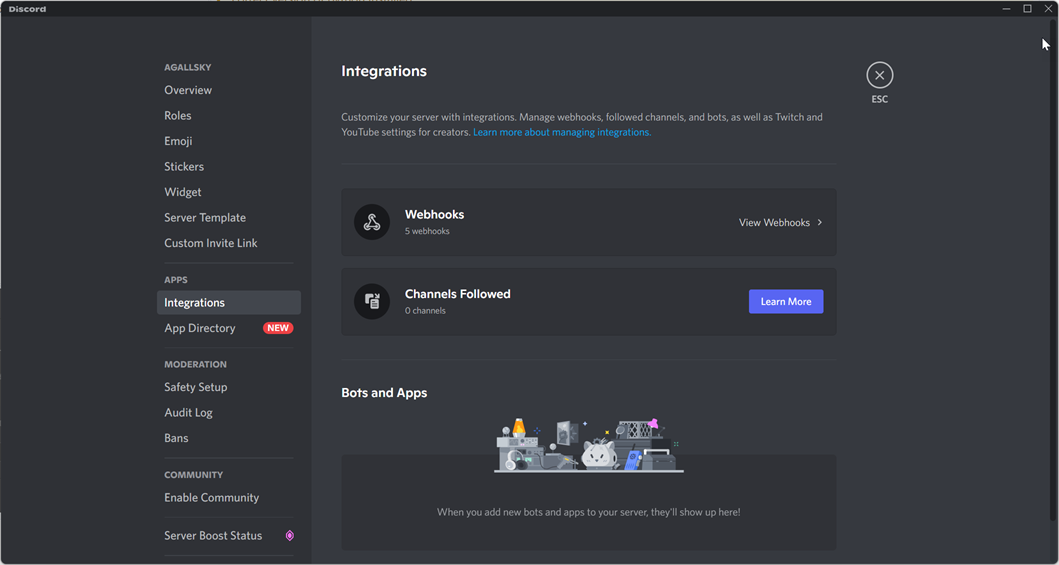
The Discord Server settings for creating webhooks
Available in
-
Daytime
- The Day time pipeline
-
Nighttime
- The Night time pipeline
-
Night To Day
- The Night to Daytime pipeline