Startrails
The WebUI Helper Tools do what the name suggests - they "help" you do something, often helping determine what settings to use.
Startrails
The Startrails helper tool aids you in determining what Brightness Threshold setting to use.
Many people find the stars in their startrails images don't have trails. This can almost always be fixed by adjusting the startrails Brightness Threshold setting. This helper tool allows you to specify multiple settings and then look at the results and pick the setting that gives you the best trails without including too many bright images.
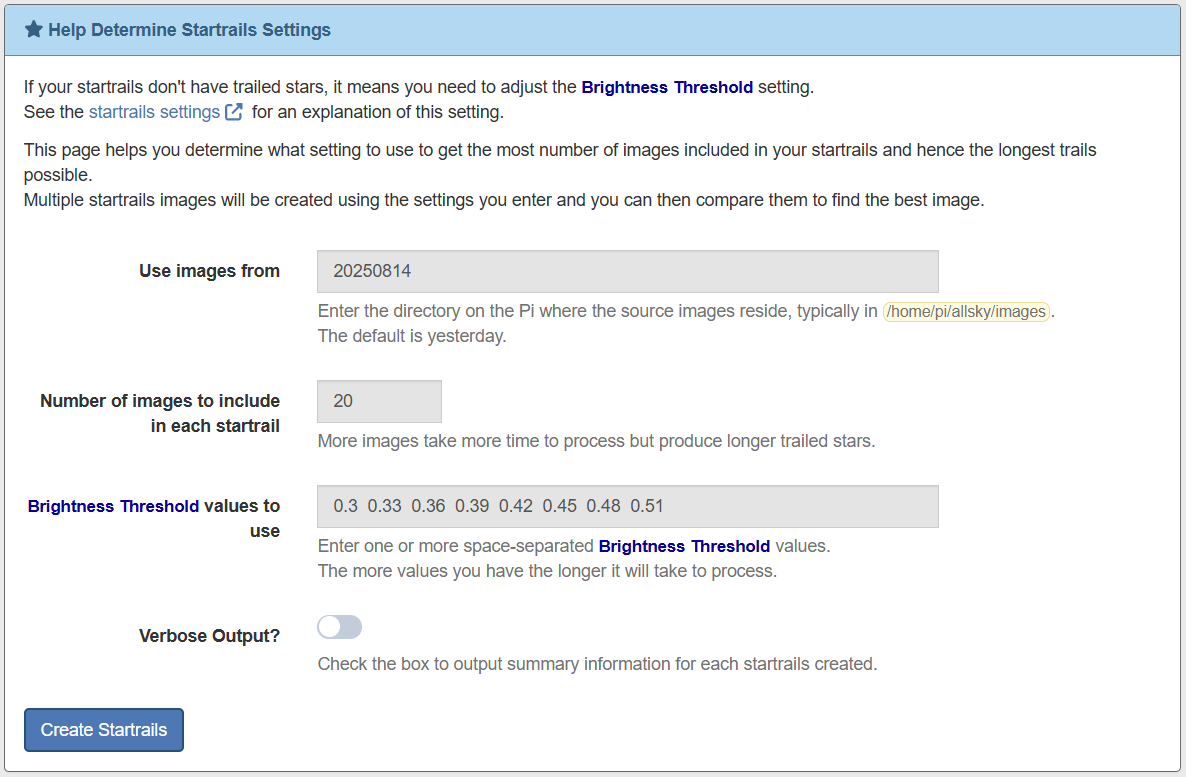
Typical Startrails Helper Tool page:
The following information is needed:
-
Use images from
This determines what images on the Pi will be used to create the test startrails. Ideally you want to use images from a night whose startrails had no trails.
-
If you don't change it, images from last night are used.
-
If you enter a directory name that begins with a / then that full path name will be used.
-
Otherwise the directory you enter is assumed to be in the same location as the daily images.
-
-
Number of images in include in each startrail
Pick a number of images to include in each startrails that is big enough that you'll be able to see trailed stars, but small enough that you won't have to wait an extremely long time to see the results.
Start with the default and adjust as needed.
-
Brightness Threshold values to use
This is where you tell the command what settings to use. Keep in mind that every number you enter will produce a separate startrails image so don't add too many number or else you'll be waiting a long time for the results.
The first number in the default list is your CURRENT Brightness Threshold value. You will almost always have to increase your current value so each subsequent number in the default is larger than the previous one. The default values increase by 0.03.
Once you are "close" you can run this tool again with numbers that are much closer together, such as 0.01.
-
Verbose output?
Enabling this option displays summary information on each test startrails, including the number of images included and not included.
A typical output is shown below. Note that no images were used in the first startrails with a Brightness Threshold of 0.30. This is probably because the moon is out on the right side of the image so the overall brightness of the image is somewhat high.
The second image has trails but only 13 of the 15 images were used so the ideal Brightness Threshold is probably a little higher than 0.35.
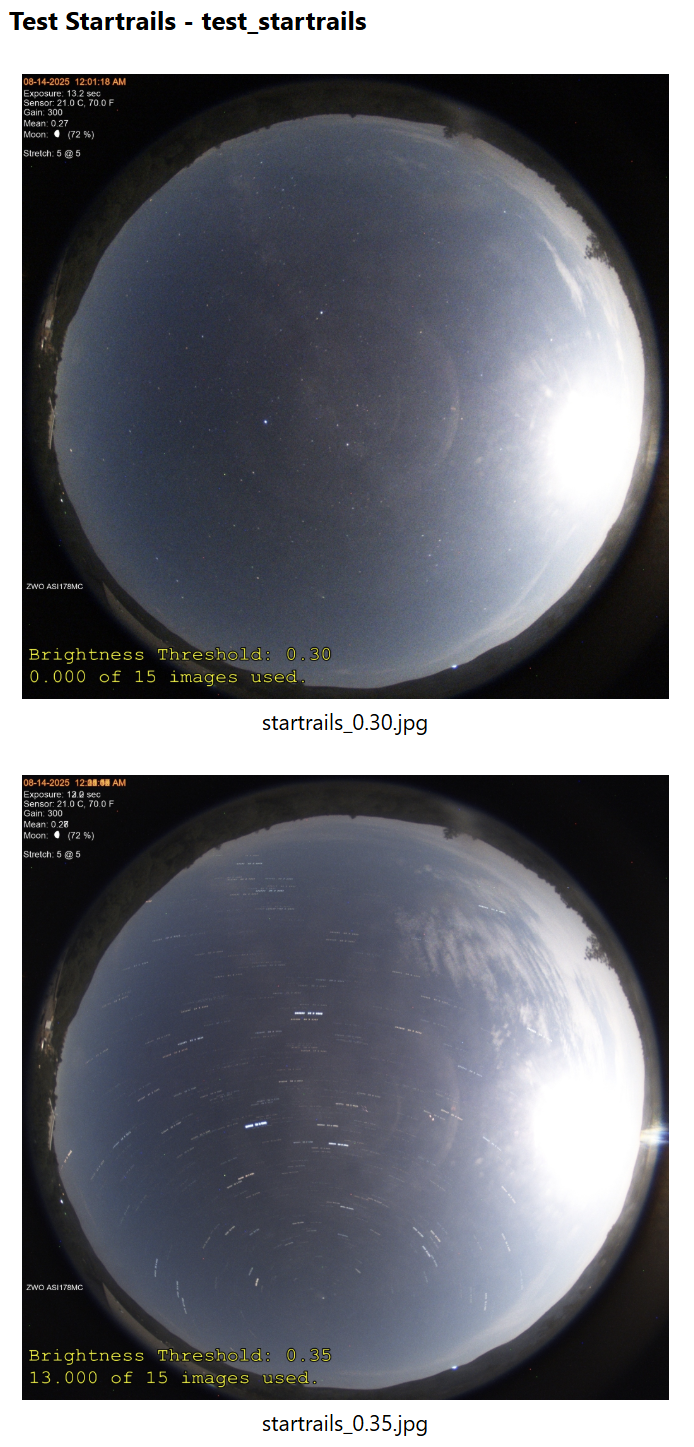
Typical Startrails Helper Tool output